Procedural planets in Godot 3
(Note: The project was created in the time of Godot 3, but this write-up was written in a Godot 4 era, so Godot-specific terminology may be inconsistent between the versions)

After experiencing a hankering to return to Shores of Hazeron and finding that it was no longer online, my first instinct was of course to think about how I would go about making something similar, and what I would do differently.
Having lived for some time within the Arctic circle, one thing that bugged me about Hazeon back in the day (I'm unsure if this aspect has been changed in the years since) was that its planetary mesh used a UV sphere. That is, a mesh based on meridians and parallels - lines of latitude and longitude. This appears to be the most common way of representing spheres as meshes in 3D tools, but means that mesh faces get narrower and narrower toward the poles, resulting in procedural terrain appearing ever more sharp and jagged and, in the context of Hazeron, too narrow to build on.
Everyone's second favourite platonic solid
Thus I began thinking about how one could construct a procedural world of arbitrary size, with consistent level of detail across the entire surface.
The answer was fairly simple; start with a simple platonic solid, and subdivide it to whatever level of detail is desired. The most obvious starting point for me was an icosahedron, aka a d20. Its faces are all equilateral triangles, and can thus be subdivided into four similarly equilateral sub-faces, recursively, until the desired level of detail is achieved.
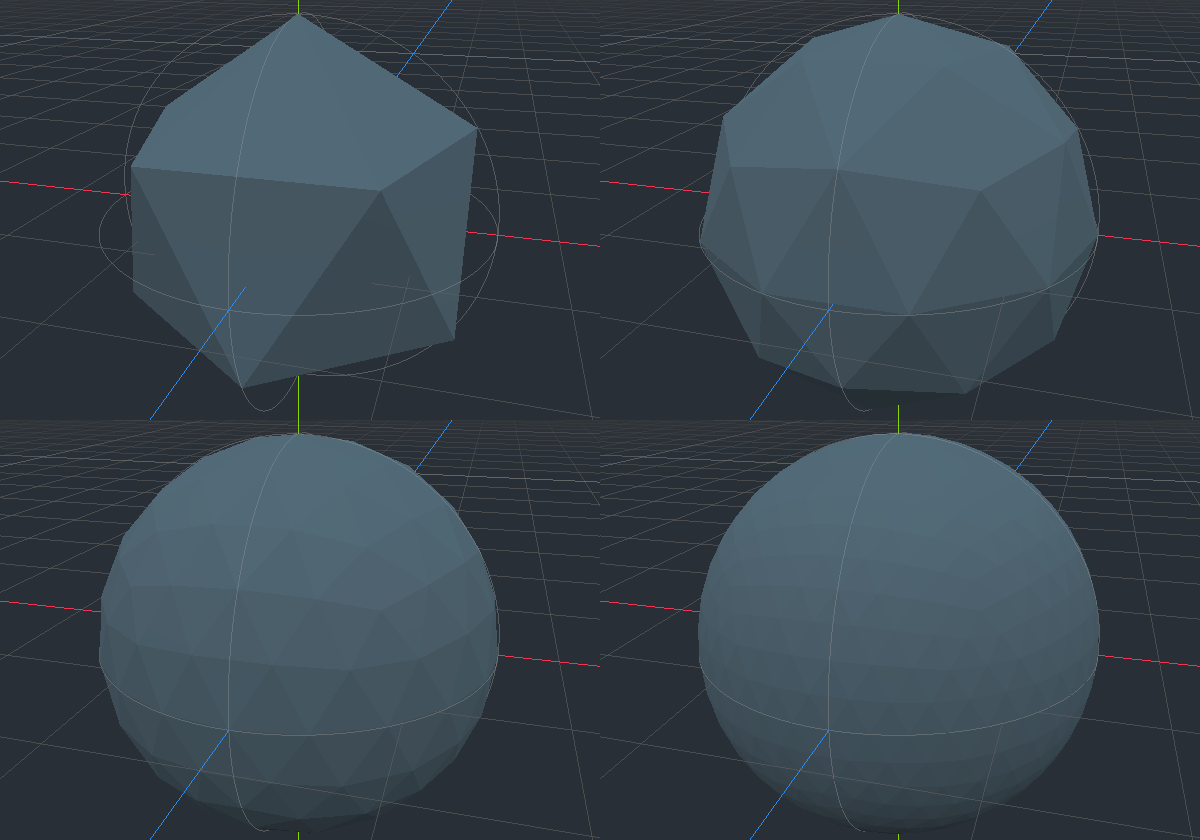
Going from a subdivided icosahedron to a more spherical icosphere is as
simple as normalize()ing each vertex. This then gives us a
uniform base to apply a planet's heightmap.
To create the heightmap, I headed straight to Godot's OpenSimplexNoise
class to generate height values at arbitrary points in 3D space. These
values were then used to radially offset the icosphere's vertices,
creating an undulating and continuous terrain at an arbitrary level of
detail.
Chunky goodness
Because my objective was a procedural world with seamless transitions from standing on the surface to a blue marble and beyond, a single mesh for an entire planet wouldn't cut it. I instead broke the icosahedron into "chunks", each containing the mesh for a single primary face, subdivided however many times necessary.
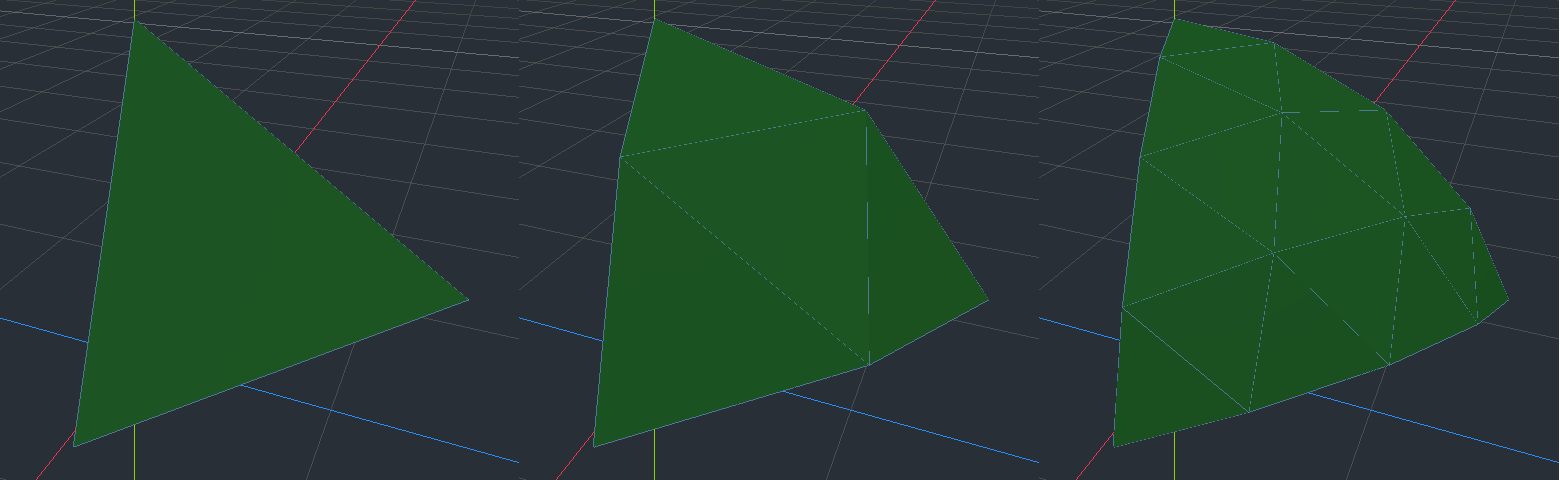
While suitable for rendering worlds at a distance, for surface-level exploration these chunks are clearly still far too large, and lacking detail. Thus the chunks themselves would need to be subdivided even further as the player got close.
To implement this, I created nested spherical Area3D
colliders around the player, each representing a level of detail (LOD)
distance. Each LOD sphere was also given a "face size" parameter which,
when the sphere collided with a chunk, informed that chunk how much
subdivision was required of it.
Thus, as the player approached a chunk, the outermost LOD sphere would trigger a subdivision of the primary chunk into somewhat smaller chunks. As the player even gets closer, the next LOD sphere detects these smaller chunks, and triggers a further subdivision into even smaller chunks. And so on until the player reaches the surface inside the smallest LOD sphere.
Conversely, as the player moves away from a chunk, an
area_exited is triggered and the smallest chunks are
destroyed, with the next larger LOD chunks making a reappearance in
their wake.
Plugging the gaps
The most striking flaw in this arrangement was in the edges between chunk sizes. The procedural generation ensured that vertices on adjacent chunks would connect seamlessly, however at the edge of an LOD sphere, further chunks have fewer vertices than closer ones. This means that there is a disconnect between LODs, especially in steep terrain, where there is a gap between the meshes through which the skybox is visible!
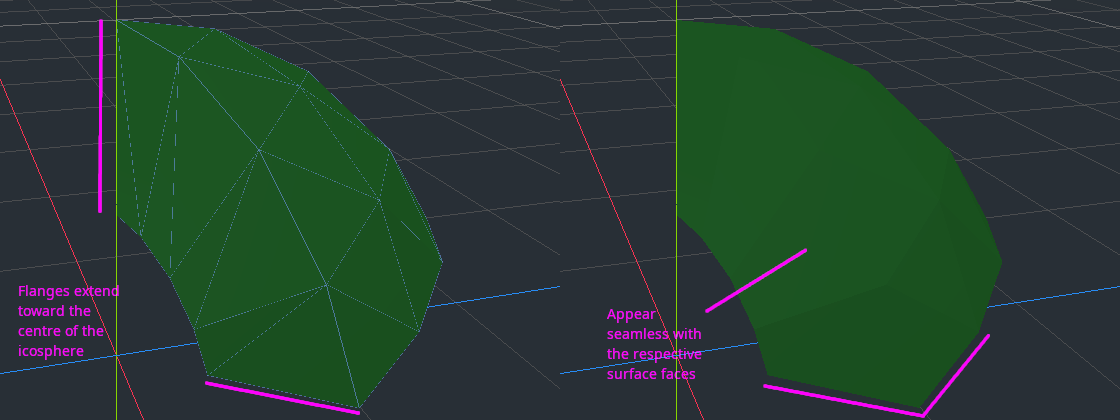
One could try to solve this with "border" chunks, where a chunk mesh can be a combination of a higher-LOD edges and lower-LOD edges, depending on its visible neighbour chunks. However, that sounded complicated, so I chose to solve it in a far simpler manner - flanges.
I chose to add tall vertical faces to the outside edge of every chunk, so that they formed a skirt around the perimeter, turning each chunk effectively into a tall column that stretched deep into the planet.
To prevent these visible flanges looking like sheer cliffs, each surface face on the perimeter of a chunk had its own vertical section (two triangles) of the flange, which adopted the same normal as the surface face itself. This meant that, for shading purposes, the flange would be rendered with the same lighting as the surface faces.
A terrestrial twin
While a dynamically subdividing, undulating icosphere is technically impressive (at least to me), a solid green lump doesn't feel very planet-y. So my next step was to add some variation to the surface appearance.
Firstly, I added a sea. This was merely an additional mesh layer for each chunk, which didn't have the procedural height map applied to it. With an appropriate texture, this produces a global sea at the average terrain height.
With the water in place, the next step was to give any surface face which was partly or mostly underwater a yellow sandy texture.
Then, since you can't have a terrestrial twin without snow-capped mountains, any surface face above a particular (arbitrary) height was turned white.
Finally, for the heck of it, any surface face steeper than a certain (arbitrary) angle was textured as rock - on the basis that it's too steep for either soil, sand, or snow to settle.
I also started experimenting with texture shaders, to make water look a bit more watery.
Tinkering with the various values and algorithms which determined these biomes became something of a theme throughout development from this point, since I was never really able to get any of it looking quite to my satisfaction!
To boldy go
When your inspiration is an intergalactic sandbox, and you have created a single procedural planet, the most obvious next step is to reach further out into the solar system.
One stumbling block to this however, is that Godot uses 32-bit values
for Vector3 coordinates. This is fine for the scale of most
games, but when wanting to simultaneously render both the ground at your
feet, and planetary bodies millions of kilometers away, you start facing
issues of floating point precision. One can compile Godot with 64-bit
float support, which should be able to handle solar-system-scales with
millimetre precision, but this only became fully implemented engine-wide
in Godot 4, so alternative workarounds were required.
Z-fighting chunks
When venturing into the depths of space, one issue that soon arose was that the inaccuracies of floating point precision caused something akin to Z-fighting between neighbouring chunks on the planet, and actual Z-fighting between the land and the seas of the surface.
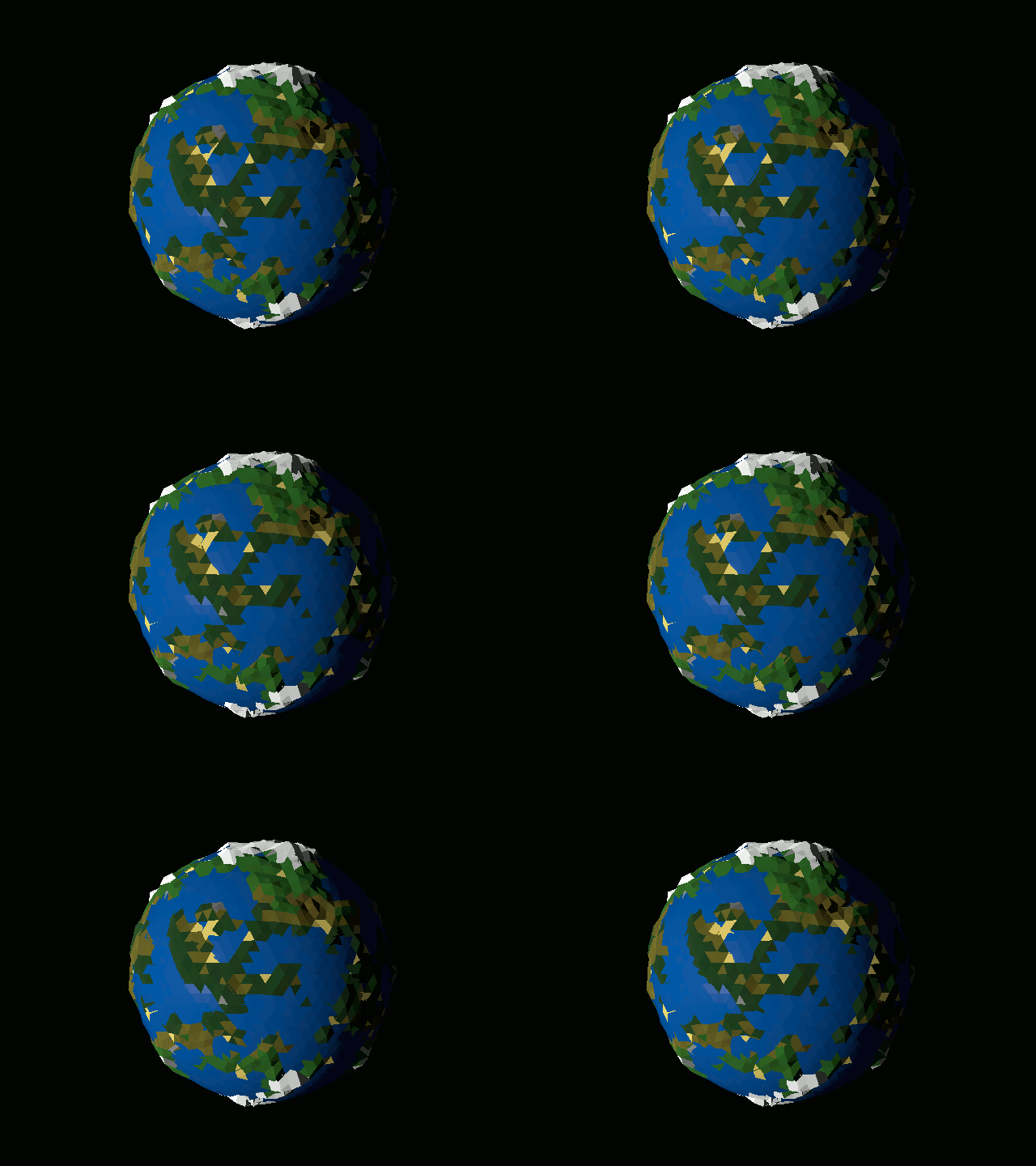
The solution to this was to create a DistantWorld class
which, rather than using chunks, provided a single subdivided icosphere
mesh, suitably textured for the appropriate biomes. A single mesh can be
rendered far more consistently than multiple touching meshes.
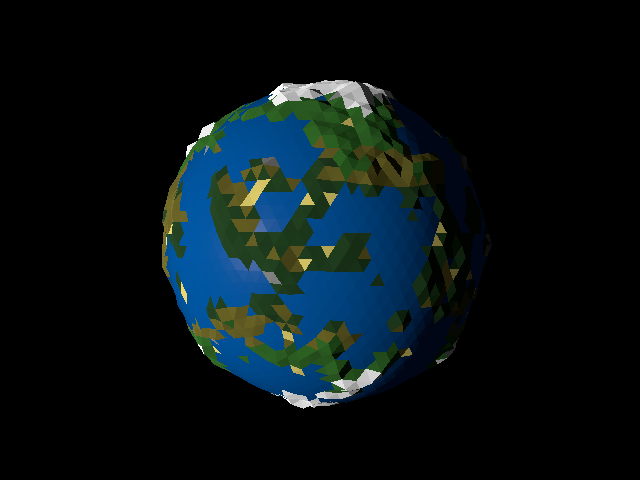
Using a LOD addon downloaded from Godot's asset library (and slightly tweaked for the project's needs), beyond a certain distance the chunk-y world would be hidden, and the distant impostor shown in its stead. Depending on the desired detail level, this could happen at a far smaller distance than would trigger any precision issues.
Floating point precision
A second issue with 32-bit accuracy at solar-system-scale environments is that if the player themselves (or rather, the camera) gets too far from the origin, nothing around the player can be positioned accurately.
A common solution to this problem is to use a floating origin (aka
origin shifting), to keep the player/camera relatively close to
(0, 0). The name suggests that the origin of a scene is
moved to a new position, but the technical reality is instead that
everything in the game environment is teleported instantaneously to new
coordinates at certain times.
For this project, I positioned the origin at the centre of the local
planetary body when the player was close by, or else an abstract
Space object, which provided a local coordinate system
centred around where the player was when they left the previous point of
reference.
It should be noted that, using the planet centre as the origin is only really suitable for small planets (the one in this project is 1/1000 Earth scale), and because there are no small-scale objects to render. For larger worlds, floating the origin based on transitions from chunk to chunk may be more appropriate.
Becoming the centre of the universe
When it came to adding a sun to the scene, I encountered two problems:
The first issue was that camera near and far clip - the minimum and maximum distance an object can be rendered at for a given camera - are bound together. There is only ever a limited range between the two values, so to be able to render a far distant sun, one would have to sacrifice being able to see the first several kilometres in front of oneself!
One solution would be to have two cameras - the main camera to capture the nearby environment, and a second one to capture the far distant objects. The distance camera's output can then be used as a backdrop for the main camera.
For simplicity's sake, I chose instead to just make the sun smaller, and move it within the normal rendering distance of the camera!
This decision then led to the second issue: If one moved far enough
laterally, the sun's apparent position no longer matched the direction
of the light source - which, since the sun is supposed to be
very far away, was implemented as a DirectionalLight.
To solve this, I placed the sun in a CelestialSphere, a
node which tracked the active camera position, thus seeming to hold all
its children at a fixed location in the sky.
Not because it is easy
Since my planet was to be a terrestrial twin, it of course needed a
lunar twin. Thus the second World was added to the scene,
so one could see and travel between them.
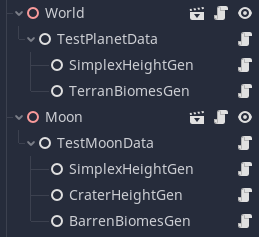
Clearly, a lunar twin can't use the same biomes and procedural
terrain generation as a terrestrial twin, so I developed a system where
each World was generated based on data aggregated from
child nodes - allowing combining multiple types of surface features into
a single procedural surface.
Gotta go fast
Since this was an experimental project, not much emphasis was placed on speed and optimisation. However, not much emphasis was found to be necessary for the given project scope.
One can see from the videos that, aside from direct teleportation to the vicinity of large ungenerated areas, there isn't much if any lag even when procedural generation is running on a single thread of a mere i5!
The only explicit optimisation I implemented was to cache terrain height vertex coordinates. The same vertex coordinates were frequently being reused when generating chunk meshes, so caching these coordinates saved multiple calls to the noise algorithms each time a chunk was created.